
NEWEYESNow on your glasses
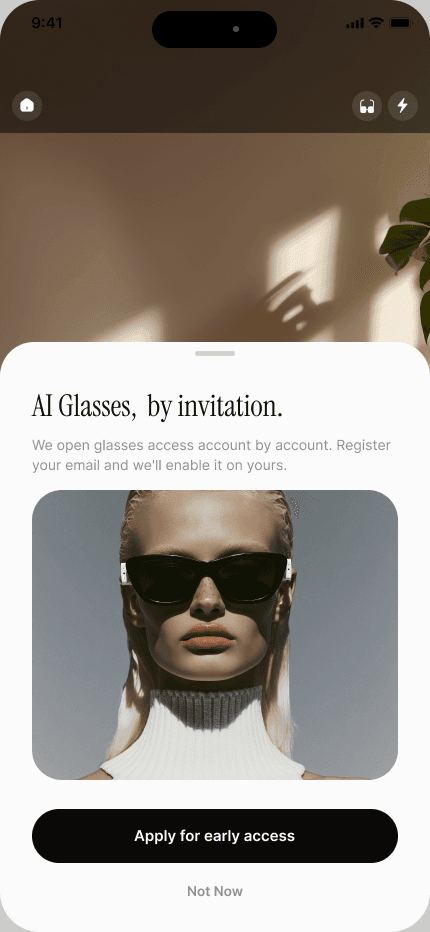
Leave your email and we’ll enable AI Glasses on your NewEyes account — you’ll get an email the moment it’s ready.
Leave your email and we’ll enable AI Glasses on your NewEyes account — you’ll get an email the moment it’s ready.
Pair Meta AI glasses with NewEyes and talk to an AI that sees what you see — hands-free. This guide covers what to buy and every step to connect.
Before you buy
If it pairs with the Meta AI app, it pairs with NewEyes. Any color or lens — prescription included.
Part 01 · The glasses
Meta’s own out-of-the-box setup. Already working with Meta AI? Skip ahead.
Meta’s official 1-minute setup — pairing and the first update, start to finish. Remember which email your Meta account uses; the invitation at the top of this page is tied to it.
Part 02 · The invitation
Access opens account by account — we handle it the same day.
Apply at the top of this page — your Meta account email plus your NewEyes Support ID (prefilled if you came from the app).
Accept Meta’s email invitation. Nothing connects until you do.
Part 03 · The connection
Four screens, about a minute. The glasses live behind one button on the camera.
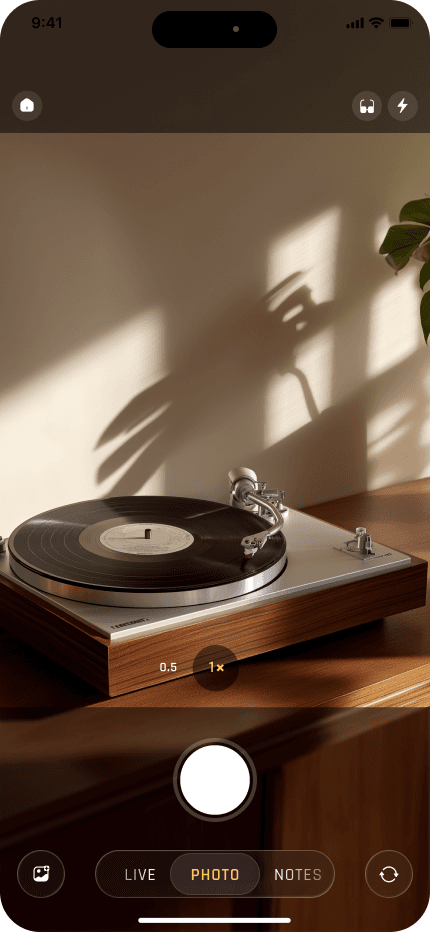
3.1
Top-right corner, next to the flash.
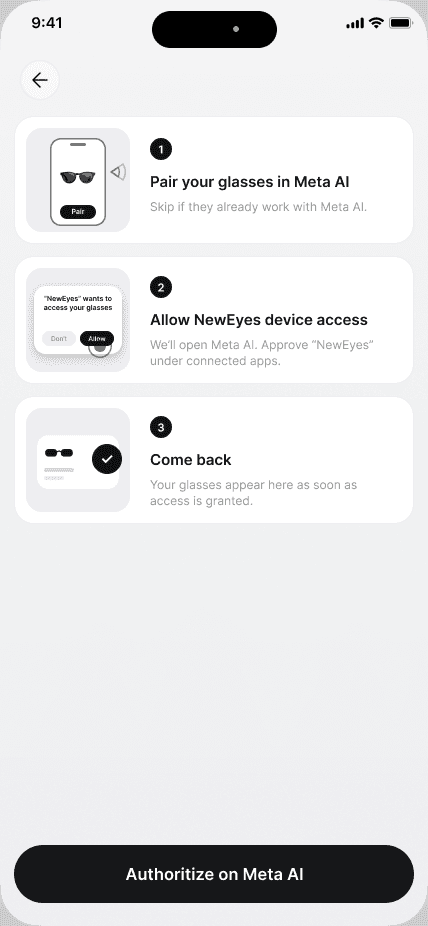
3.2
One tap on the Glasses page hands you over to the Meta AI app.
“NewEyes” wants to access your glasses
Camera and microphone, while connected
Allow app connections
Allow unencrypted connections
Required during early access
Not now
3.3
Meta AI asks to connect NewEyes to your glasses — turn the toggle on and confirm.
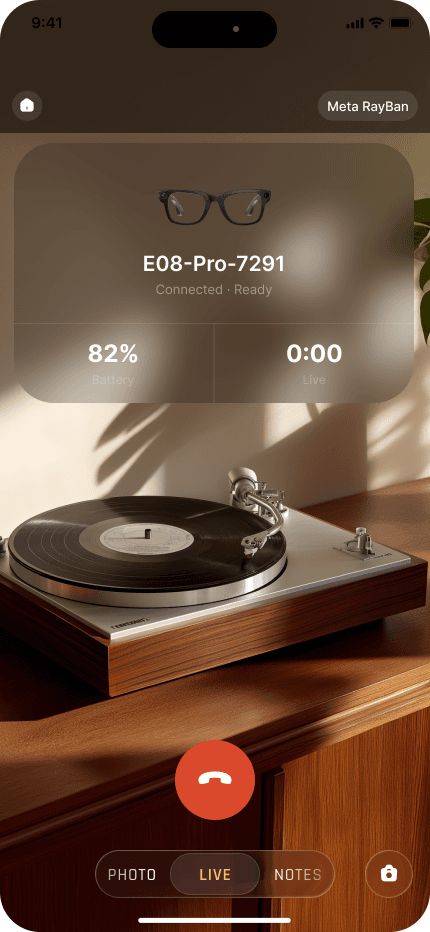
3.4
Out of the case, unfolded, on your face. You’re live — hang up with the red button.
Ask about what you see
Live conversation through the glasses’ camera and mic — hands-free.
Capture photos
Snap what you’re looking at, straight into the session.
Record short clips
Up to 15-second videos of the moment in front of you.
Everything is saved
Each call ends as a session you can revisit in the app.
Still stuck? We’ll do it together.
Book 15 minutes with Laura — she’ll walk you through pairing, the invitation, and the first call.
Book 15 minutesOr reply to whoever sent you this page.
Meta, Ray-Ban, and Oakley are trademarks of their respective owners. Glasses connect via Meta’s Wearables Device Access Toolkit; access is limited while the toolkit is in preview.


